How it works
From first link to finished room.
SpendFrame is designed to get out of your way. Here's the full picture — from creating your account to seeing your room take shape.
Step 1
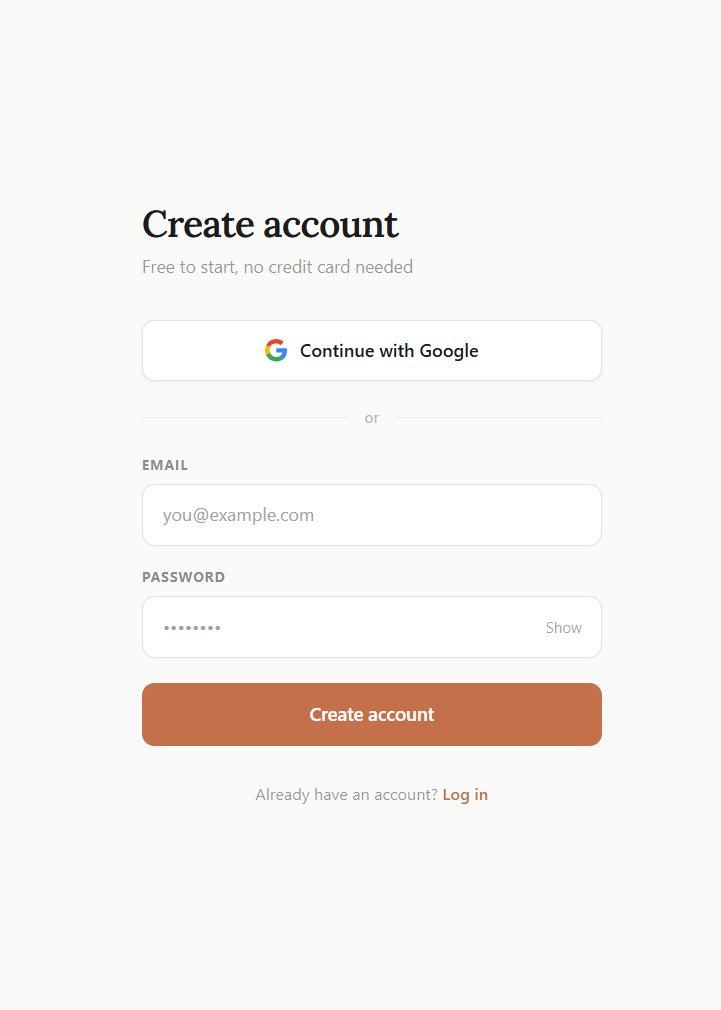
Create your account
Sign up with Google or your email address. No credit card required — you're in the app in under a minute.
Step 2
Start your project
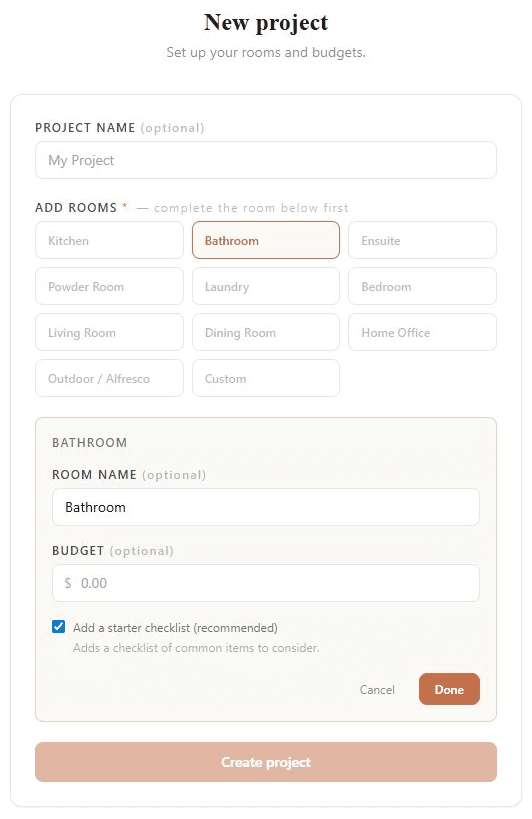
Choose how you want to start. Quick Start gets you into a room immediately — pick a room type, give it a name if you want, and go.
Set up Project lets you plan the full structure first — name your project, add multiple rooms, and set individual budgets before you start adding items.
Step 3
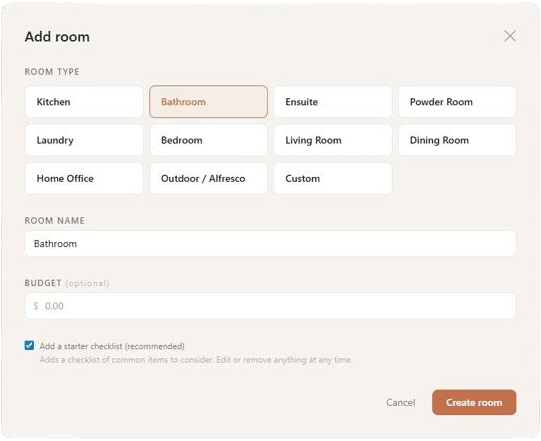
Set up your room
Choose from preset room types — Bathroom, Kitchen, Living Room, Bedroom, and more — or name it anything you like. Optionally enable a checklist to track every item you need to source for that room.
Step 4
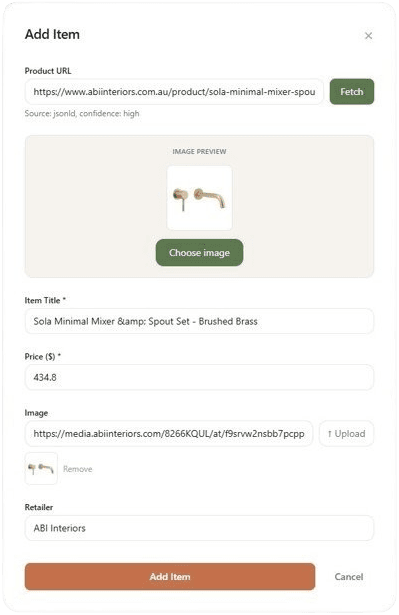
Paste a product link
Copy any product URL from a retailer website and paste it into SpendFrame. The name, price, and image are fetched automatically.
If a URL can't be accessed automatically, a manual entry form appears. It takes about 20 seconds to fill in.
Step 5
See your room take shape
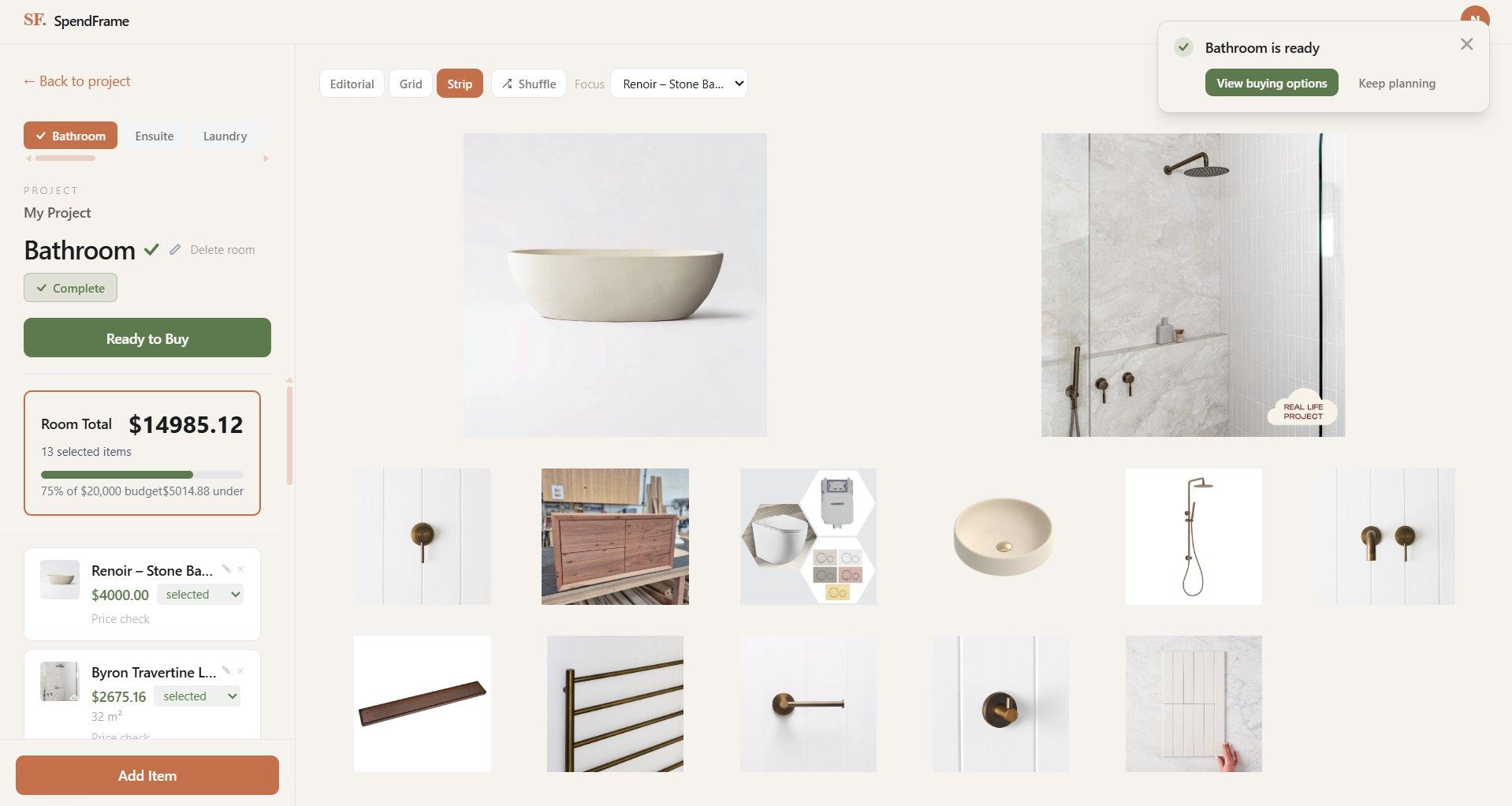
Every item appears on your mood board. Switch between layout templates to find the arrangement that works. Mark items as Selected to lock them into your budget, or Shortlist them to keep options open.
Step 6
Stay on budget
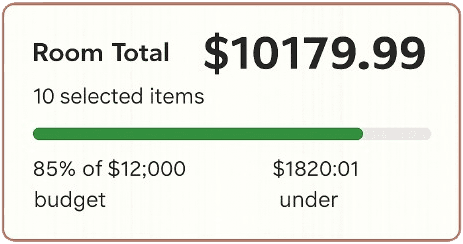
Your room budget updates in real time as you select items. Swap products, adjust quantities, and keep an eye on the total before anything gets ordered. Change your mind — everything is editable.
Step 7
Ready to buy
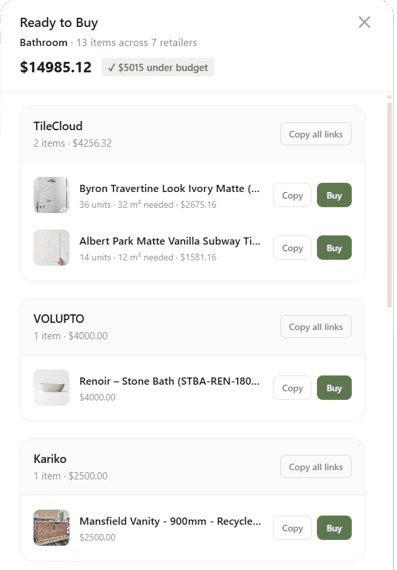
When you're happy with your selections, hit Ready to Buy. SpendFrame groups every item by retailer so you can see exactly how much you're spending where.
One click opens each item directly on the retailer's website, ready to add to cart.
Built-in checklist
Nothing gets missed.
Enable a checklist when you create a room and SpendFrame gives you a list of items to source. As you find and add each product, it replaces the checklist placeholder and becomes a real item on your board. Every item accounted for, nothing forgotten.
Ready to try it?
Free to use. No credit card required.
Start free